How DrinkDock works
What guests see at the machine, what happens behind the screen, and what a Friday night looks like for your staff.
The guest side
Designed for a loud, dim room and a guest holding a phone in one hand.
Pick up to two drinks
Your menu and prices. Non-alcoholic drinks skip the ID step.
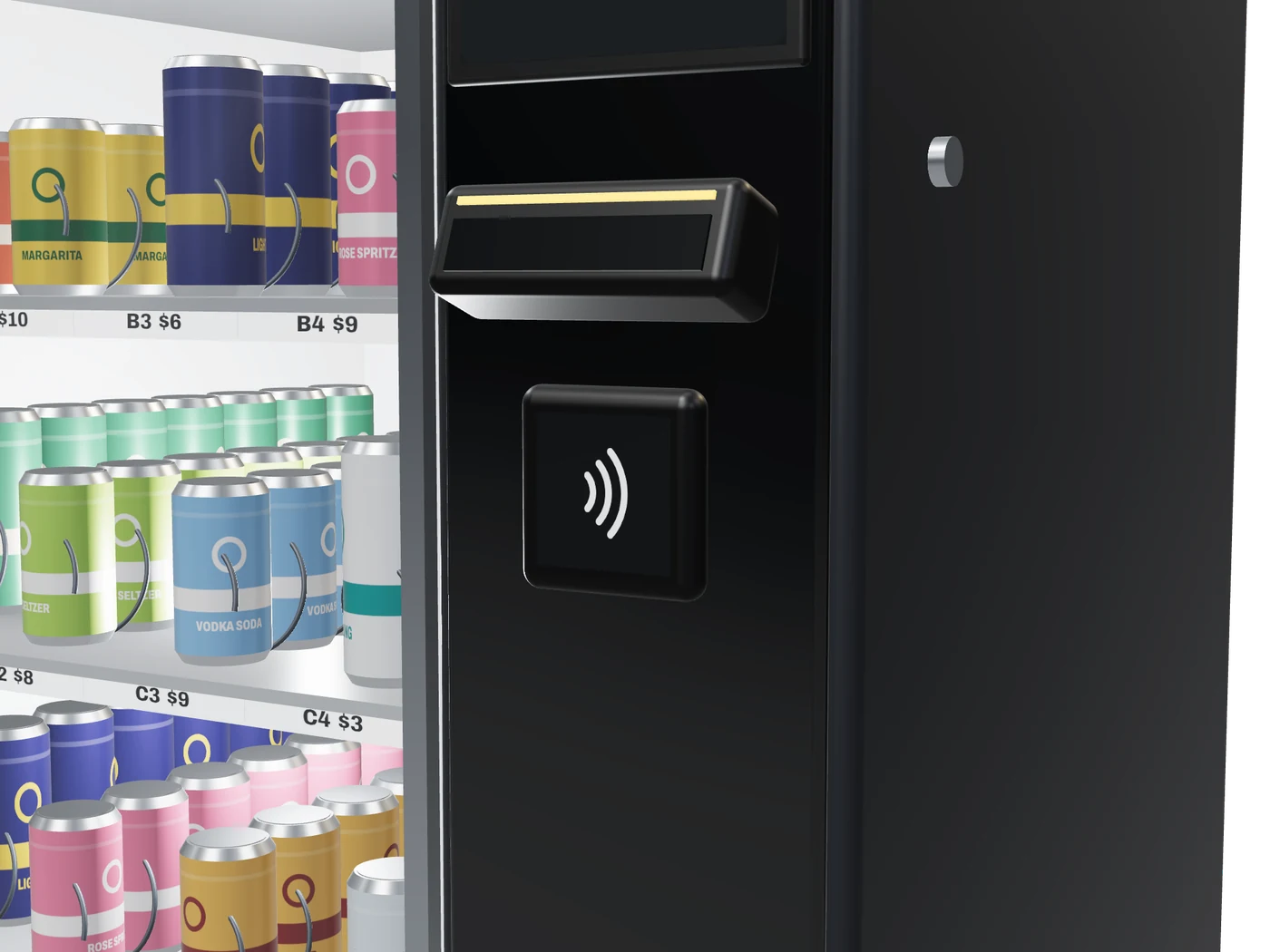
Scan both sides of the ID
The back for the barcode, then the front for the photo, which the camera compares with the guest. A declined ID gets a plain message and a pointer to the bar.
Tap to pay
The card is authorized at the tap and charged when the drink reaches the pickup port.
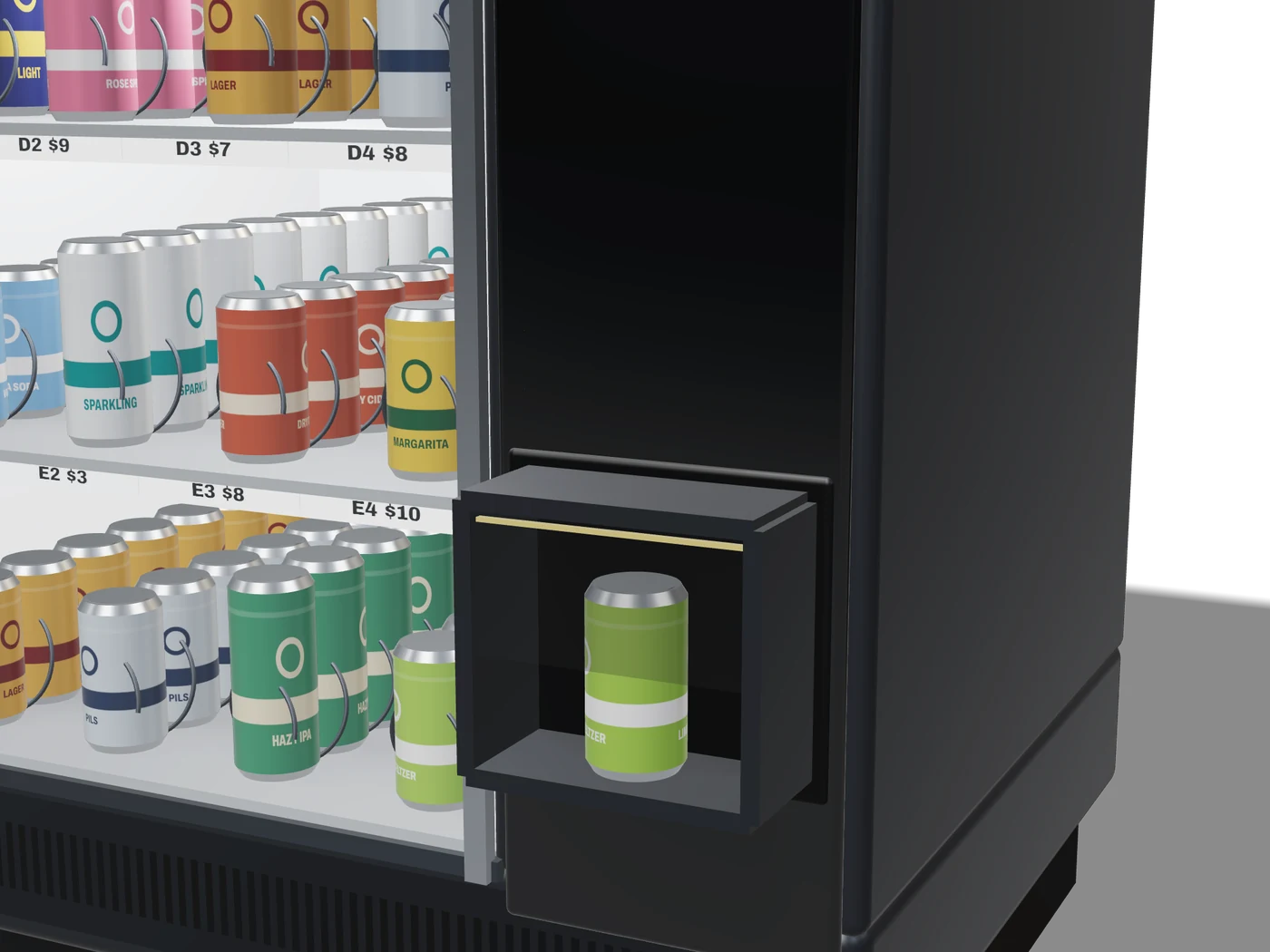
Take it from the port
The port door opens when the can arrives. An uncollected can alerts staff after two minutes. Receipts by text on request.
Behind the screen
Age verification
The scanner reads the PDF417 barcode on the back of U.S. licenses and state IDs, checks the format and data, and confirms the holder is 21 or older. The guest then holds the front to the scanner, and a camera compares their face with the ID photo, on the machine. Expired, damaged and invalid IDs are declined, and no images are stored.
Payments
Card and wallet payments are tokenized by a certified payment processor. Card numbers never touch DrinkDock’s servers.
Dispensing
A spiral tray turns once to release the can onto an internal lift, which lowers it to the pickup port. A sensor confirms the can arrived, and that’s when the card is charged. If a row jams, the machine tries another row with the same drink. If none has it, nothing is charged and the jammed row stays off until staff check it.
Two connections
Wi-Fi with a built-in LTE backup, so a router problem doesn’t stop sales.
Fails closed
If power, both connections or payments drop out, all sales stop. If the scanner or camera fails, alcohol sales stop and water and soda keep selling. Nothing is dispensed without a completed check and an approved card.
Staff override
A key switch on the cabinet and a pause button in Manager. Either stops sales immediately.
A Friday with DrinkDock
What the machine asks of your staff on a typical busy night.
5:30 PM
The barback checks Manager and tops off the rows that need it. A few minutes.
10:50 PM
Lime seltzer is down to six cans, and the barback gets a text. The row is full again before 11.
12:15 AM
A bartender sees a guest who’s had enough, finds their sale on the bar tablet and blocks that ID until close.
1:45 AM
The machine stops selling at your cutoff and tells guests sales are done for the night.
2:10 AM
Sales, drinks, declined IDs and staff actions land in the manager’s inbox.
How a pilot works
We’re forming our first Philadelphia pilot now, with first installs planned for 2027.
1. A call and a look at your space
From photos or a visit, we look at the space, power and sightlines, and recommend a model and a spot.
2. PLCB review
We request a written advisory opinion from the PLCB for your setup and share the response with you. No clear answer, no install.
3. Install and walkthrough
Delivery, setup and first stock with your team, then twenty minutes on pausing, blocking an ID, resetting a wait and restocking.
4. Review together
After the first weeks we go through machine sales, staff actions and what your team thought, and decide together whether it stays.
Talk through a pilot
We’ll walk through the guest screen and Manager with your menu loaded, on a call or at your venue.